Reference-video remake: swap the product, keep the shots
Remake a reference video with the same shots, motion and pacing — swapping only the product, person or setting; full strawberry-smoothie example with four-way comparisons.
Updated
Remake a Reference Video
Copy a reference video: the camera moves, actions and pacing match the original. Only swap the people, product or scene you want to change.
Do it in one sentence
Once both projects are installed, you can ask for the break down, the remake and saving the recipe in one go. Say you want to learn a palace-drama hand-twirl video:
Use rea-video to break down this video: <Xiaohongshu share link> Then use capsule-cinema to remake the hand-twirl and dance parts, and save it as a video recipe for me
The agent works in this order:
- Break down: downloads the video, looks at it shot by shot, and finds which parts have the hand-twirl and the dance
- Only make those parts: first lists the shots it will generate for you to check. It starts generating only after you confirm. When done, it puts them back into the original and also makes a side-by-side comparison video
- Save the recipe: first tells you what it plans to save, and saves after you confirm. Next time, swap in a new person or a new song and reuse it
Results
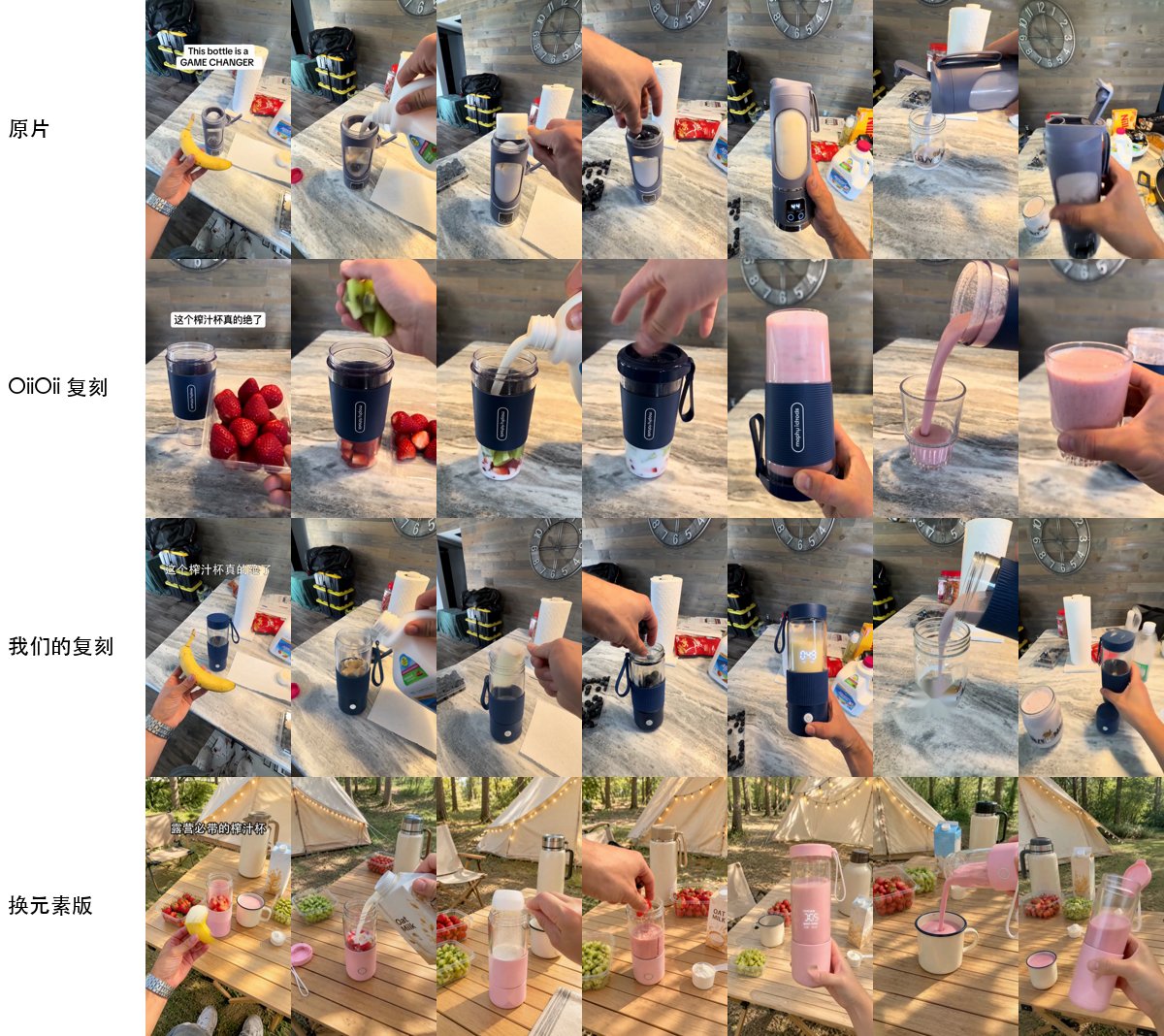
Top to bottom: original, OiiOii remake, our remake (product swapped), swapped-element version (product swapped + camping scene + new ingredients).
Two more swaps: overhead outfit change, paper-craft animation
Audio in the comparison clips is from the original. The original and OiiOii versions are taken from a public article, shown for comparison only.
What you need
- rea-video and capsule-cinema installed, and one AI video service turned on
- A reference video
- Reference images of what you want to swap in (product photos, people photos). Skip this if you’re not swapping anything
If the agent can’t find capsule-cinema, tell it once where it is: “capsule-cinema is at ~/xxx/capsule-cinema, remember that”.