Cara membaca laporan breakdown rea-video
Telusuri report.html bagian demi bagian: putusan satu kalimat, storyboard, sorotan, tiga lapisan, garis naratif, tabel shot, langkah remake, cast, dan timeline suara — dengan tangkapan layar laporan nyata.
Diperbarui
After the breakdown, double-click report.html in the output folder to open it.
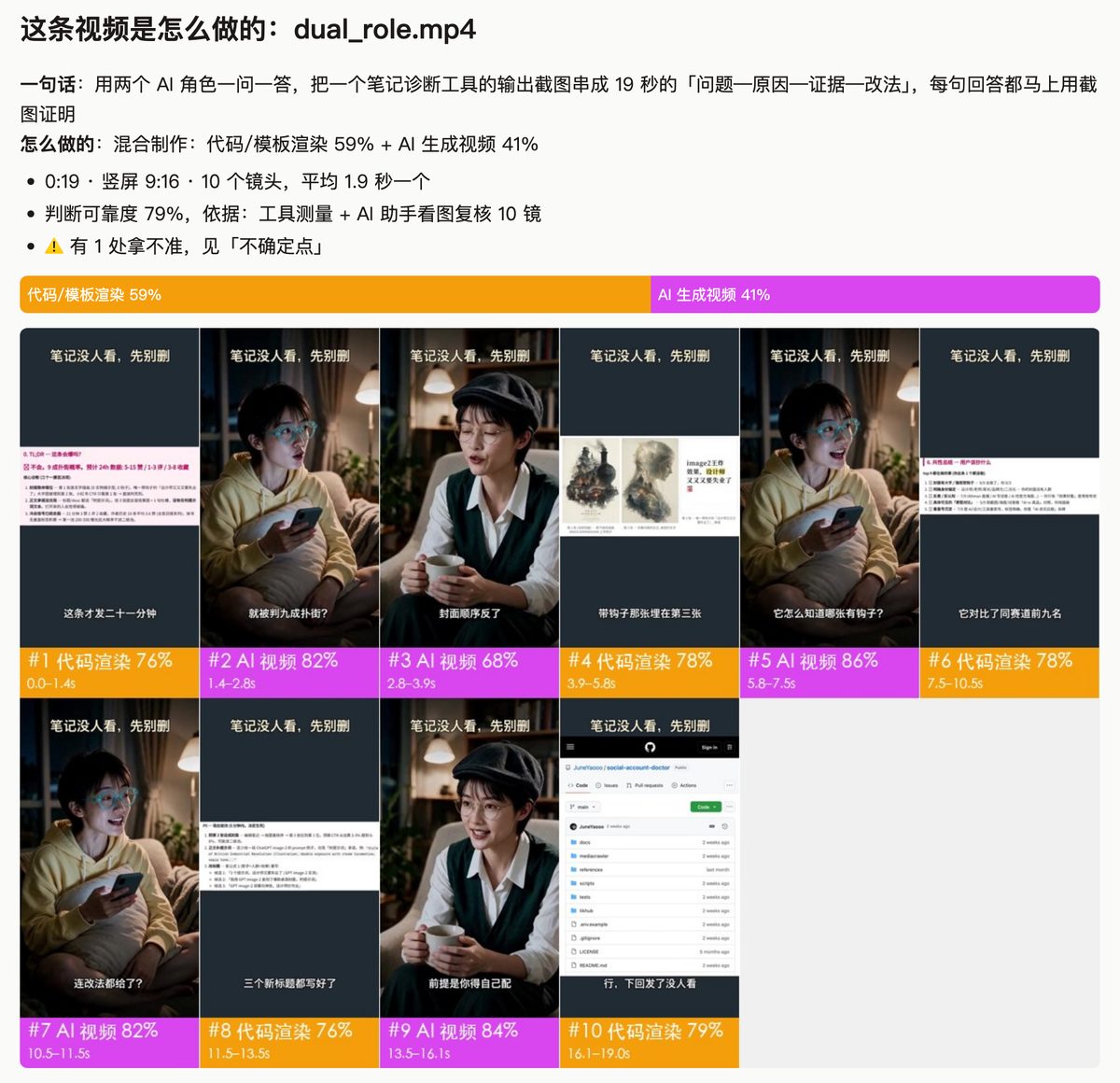
1. One-line verdict + storyboard
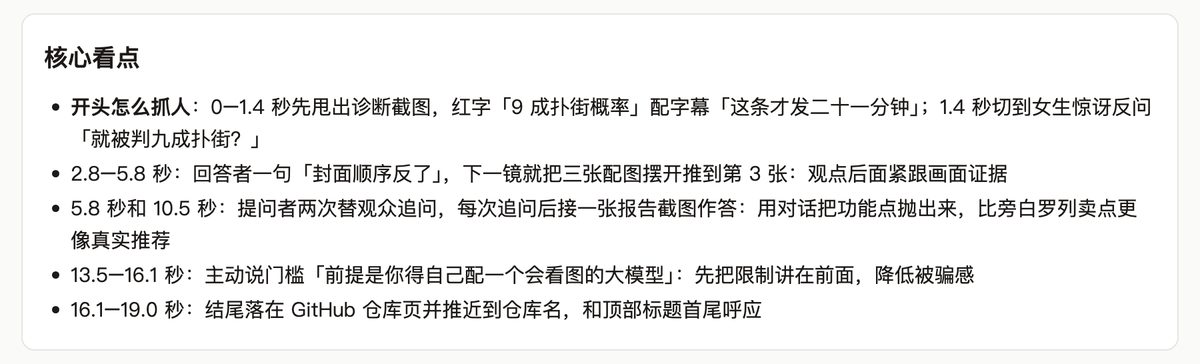
2. Key highlights
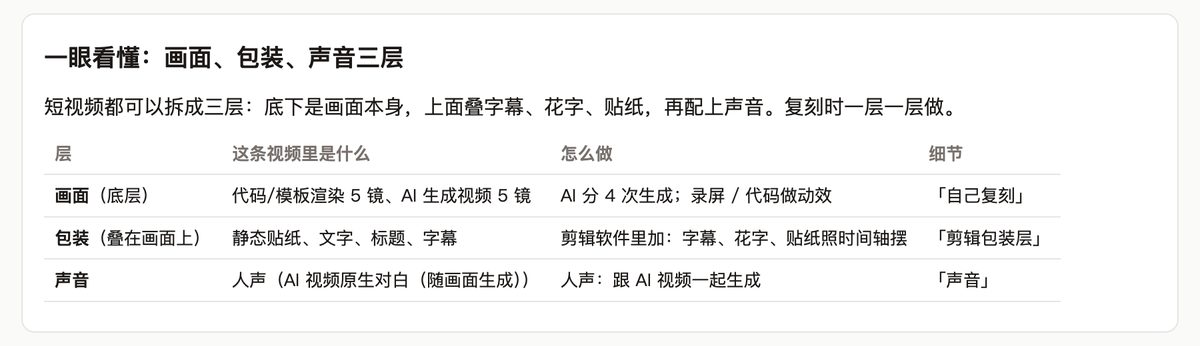
3. Three layers: picture, packaging, sound
4. Story arc and script
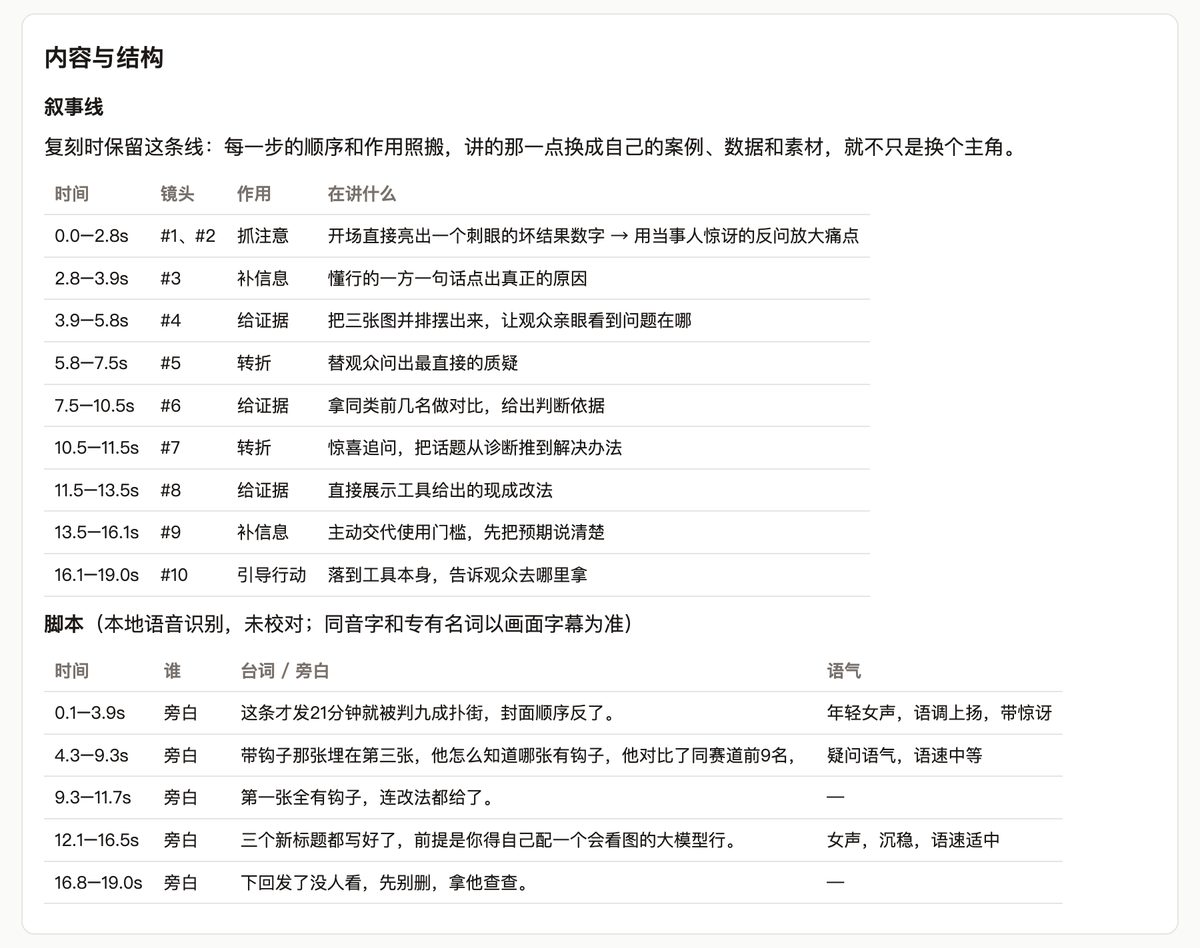
Following this video’s story arc, write a script for my product: ~/Docs/product.md
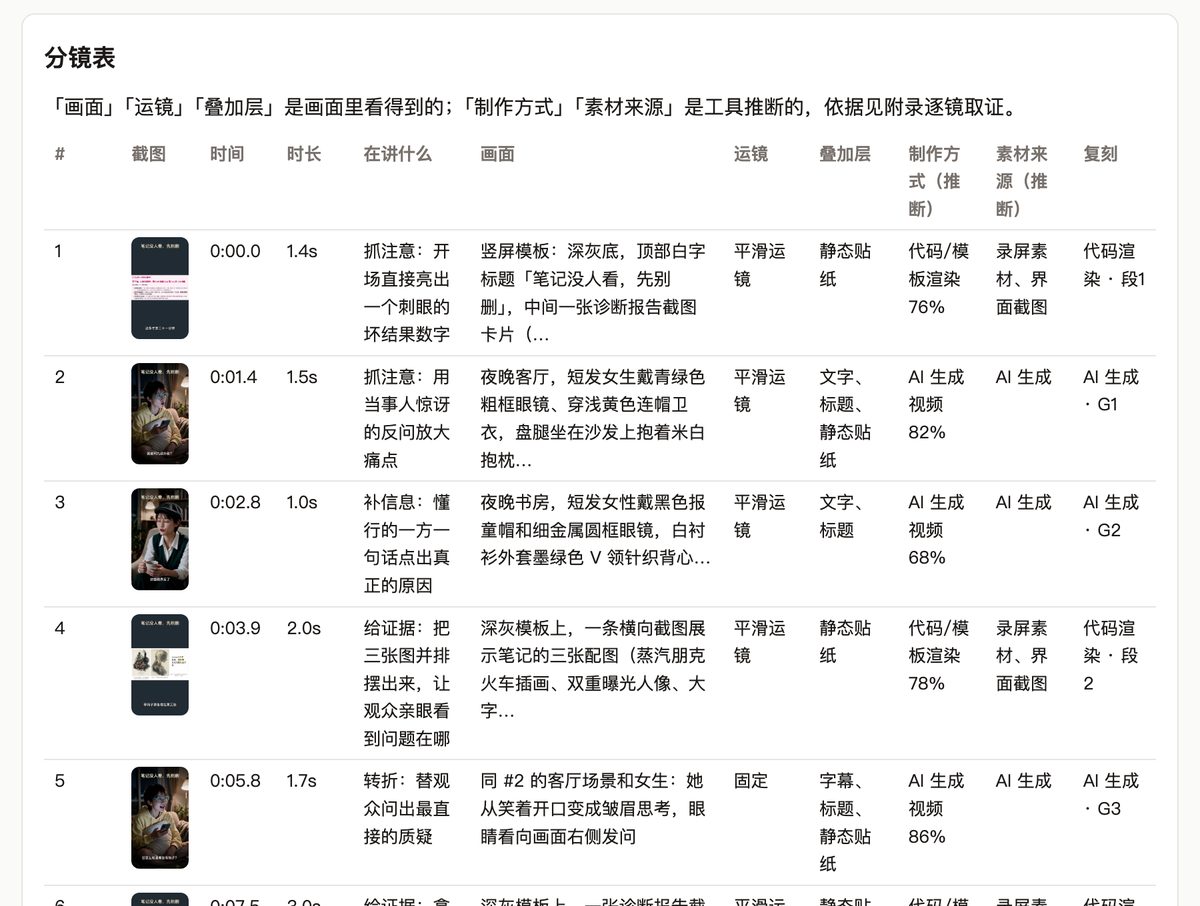
5. Shot list
6. Remake it yourself
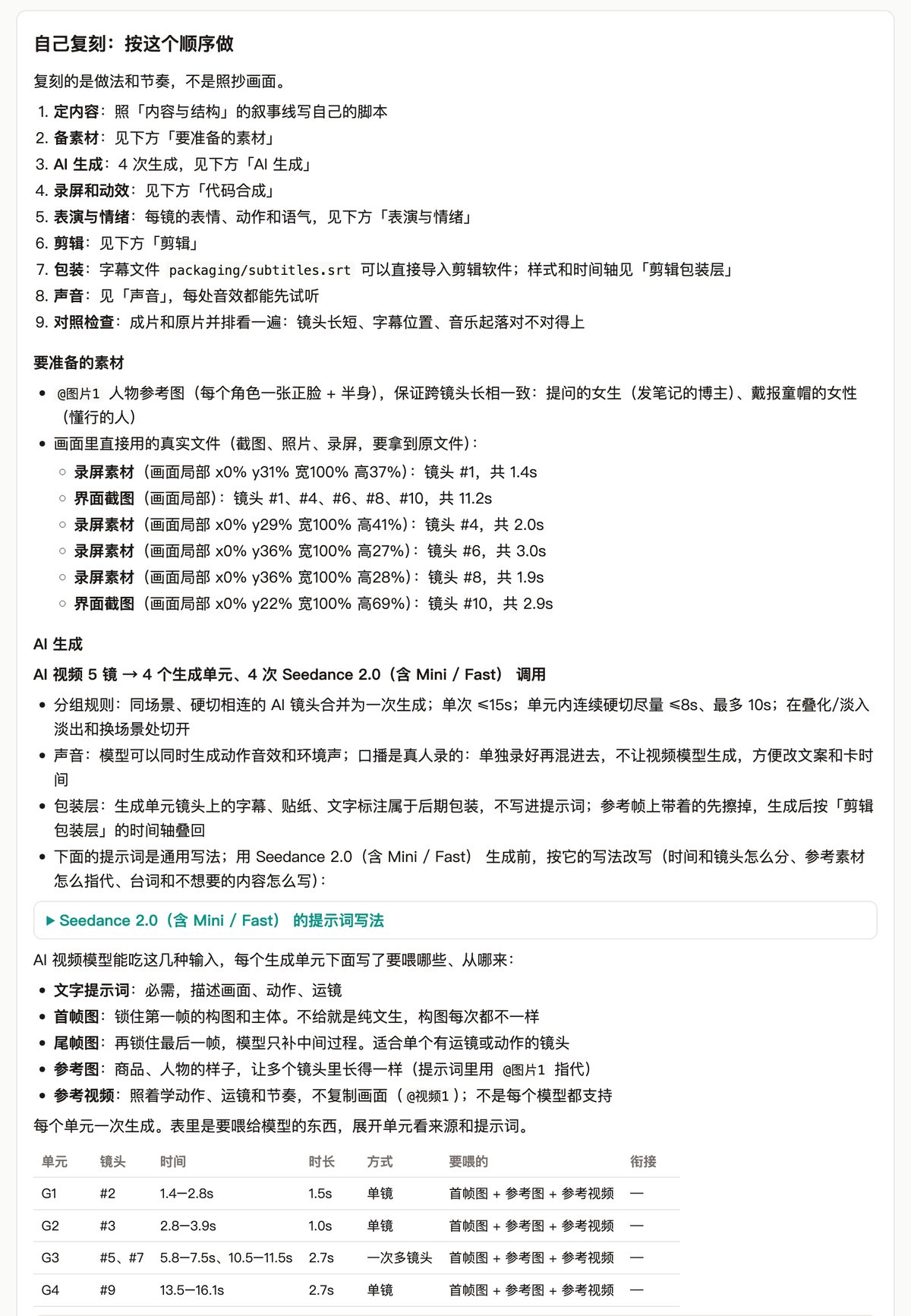
Based on this report, tell me what footage I need to prepare to remake this video, and how many times the AI shots need to be generated.
For details, see Remake from the results.
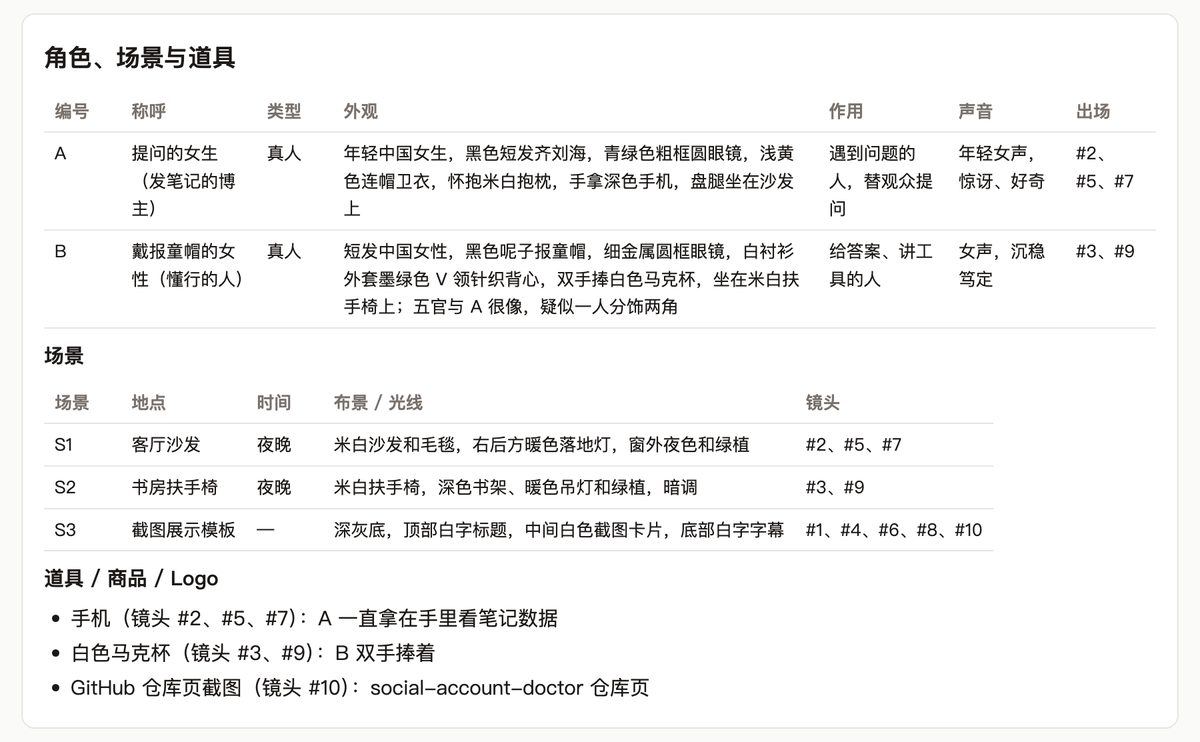
7. Characters, locations and props
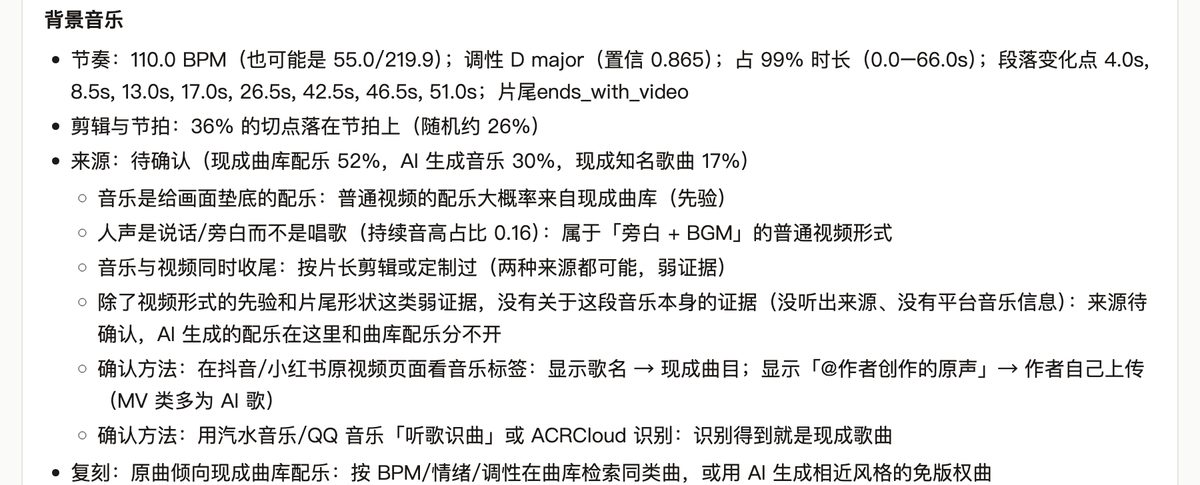
8. Sound: voice, music, sound effects
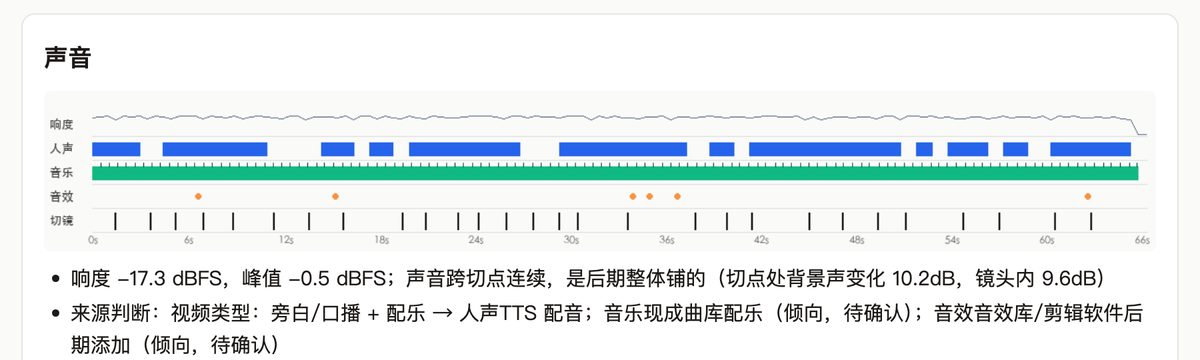

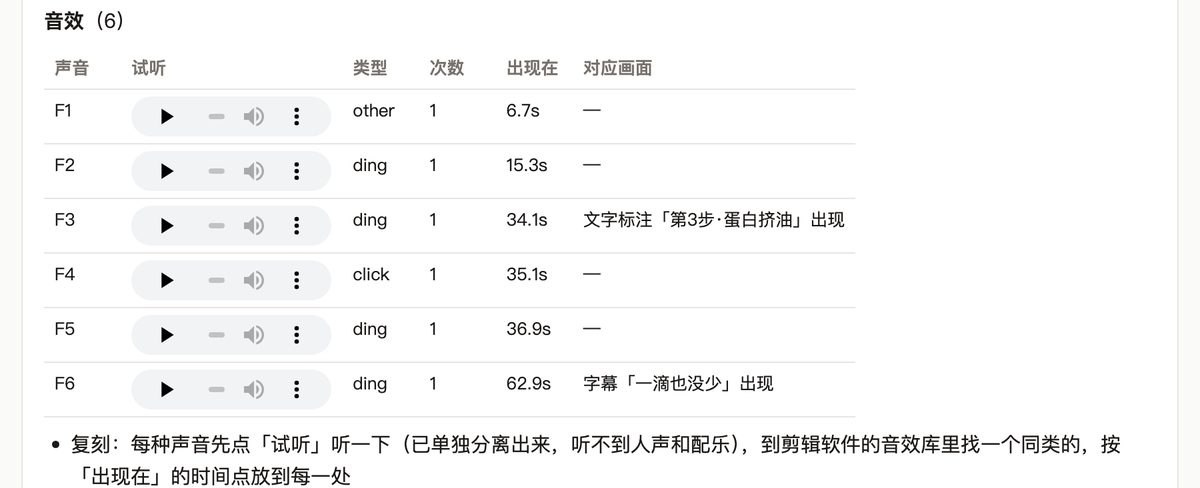
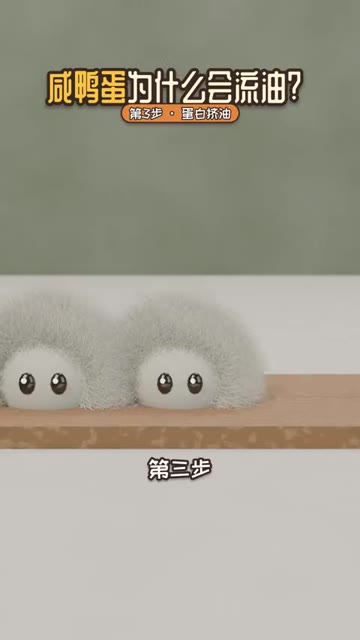
F3 “ding”, 34.1 s, label appears:
F6 “ding”, 62.9 s, subtitle “not a drop wasted” appears:
The separated tracks are in stems/. Here is 30–38 s:
| Track | Listen |
|---|---|
| Original | |
| Voice | |
| Music | |
| Sound effects |
If it got something wrong
Shot 3 is stop-motion, not AI. Please fix it.
Breakdown pack: the part for AI to read
VIDEO.md and the video folder in the same folder are for AI. When you later ask an agent to remake the video, it reads these — you don’t need to touch them.