Plush-figure explainer video: from script to final cut
Make a 70-second explainer with the plush_diorama_science recipe: script, MiniMax voiceover, Blender previews, single-shot fixes and topic swaps — one sentence to your agent at a time.
अपडेट
Use a plush little penguin to explain a science topic. Recipe plush_diorama_science; the visuals are made with Blender on your computer, with MiniMax voiceover.
Before you start
- Install capsule-cinema and set up MiniMax voiceover
- Install Blender (free 3D software) on your computer; the agent will install any other software it needs
1. Write the voiceover script and storyboard
Use the plush_diorama_science recipe to make a 70-second episode on “Why does ice melt?”. Write the voiceover script and storyboard for me to check first. Don’t do the voiceover yet.
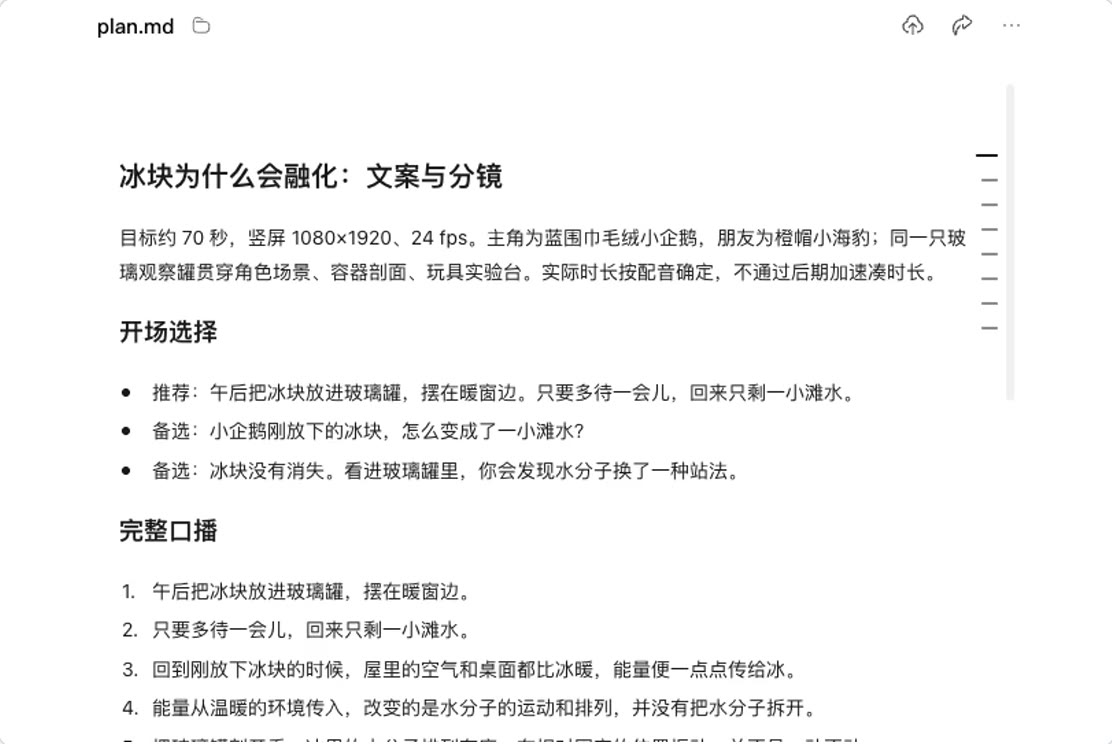
Point out anything that’s wrong, e.g. “Ice doesn’t melt because you shake the jar, delete this line”.
2. Voiceover
The storyboard looks good. Start the voiceover.
Redo any mispronounced words on their own: “‘Melt’ is mispronounced in line 3, redo just this line”.
3. Preview 3 shots first
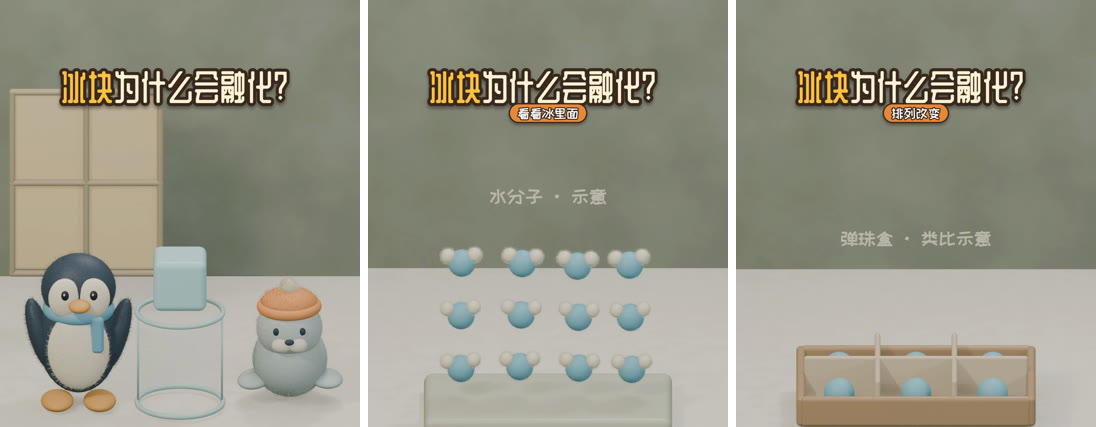
First make preview images for 3 shots: the character wide shot, water molecules in the ice, and the marble box.
4. Make the final video
The previews look good. Make all the shots and put together the final video.
Change one shot
In shot 1 the ice cube is floating above the jar. Change it so the penguin holds the ice cube in its flippers and puts it into the jar. Change only this shot, and when you’re done give me a continuous preview.
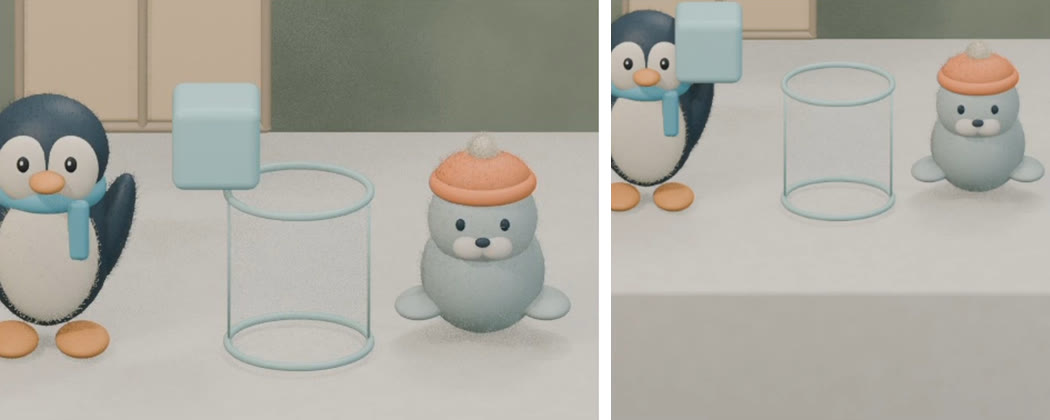
Left: before. Right: after.
If the preview looks good, say “merge this shot into the final video”.
Change the topic
Use the same character and art style to make an episode on “Why does water vapor turn into little droplets when it gets cold?”. Write the voiceover script and storyboard for me to check first.